This feature is available to all our clients; however, each employer may choose whether or not to enable it.
If the feature is enabled, you can withdraw your application by logging in to your account at atlas.workland.com.
Once logged in:
1. Go to the Jobs Applied section.
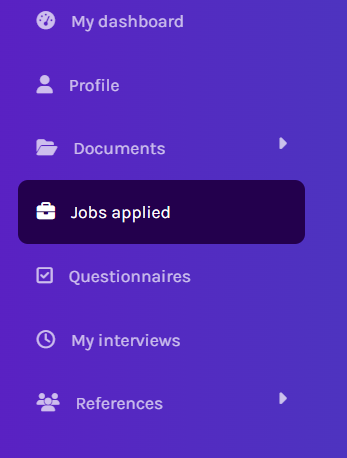
2. Open the Completed applications tab.
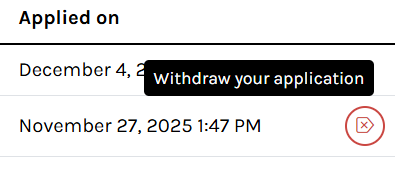
3. Find the job application you wish to withdraw and click the icon on the right.
If the withdrawal option is not available, please contact the employer (the organization you applied to) directly to ask about their withdrawal process.
FAQ:
Q : Can I restart my application if I withdraw it?
A : No. Once an application has been withdrawn, it cannot be resumed or resubmitted for the same job. Withdrawing an application is considered a withdrawal of interest and automatically results in disqualification from the job.
Q : I withdrew my application by mistake. Can it be reactivated?
A : Once an application has been withdrawn, only the employer can decide whether to reactivate it. The ATLAS support team does not have access to candidate files and therefore cannot make this change. We recommend contacting the employer directly to see if reactivation is possible.
Was this article helpful?
That’s Great!
Thank you for your feedback
Sorry! We couldn't be helpful
Thank you for your feedback
Feedback sent
We appreciate your effort and will try to fix the article