If you received an email invitation to confirm your interview time slot, please log in to your ATLAS portal at the following address: atlas.workland.com
Please ensure that you use the same email address that was used when submitting your job application.
Once logged in, go to the My Interviews section.
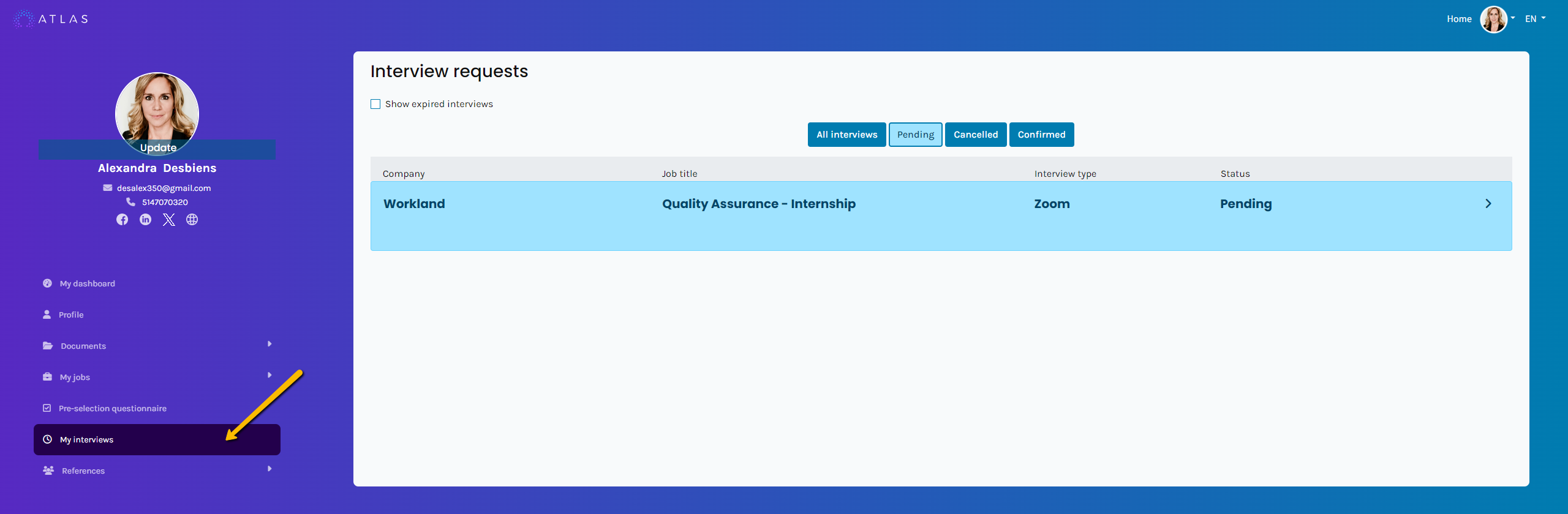
You will see a list of your pending interviews. Select the relevant interview.
One or more time slots may be available—choose the one that works best for you, then click Accept.
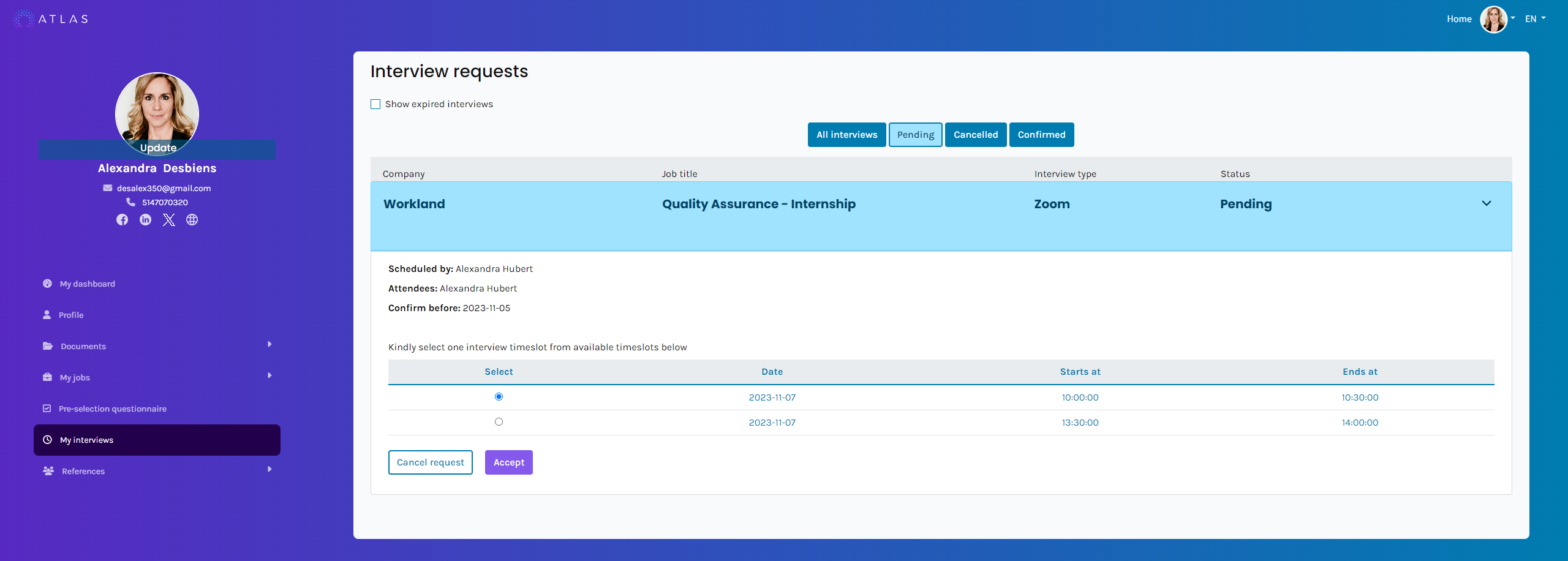
Once the time slot is accepted, you can click on the confirmed interview again to:
- View the interview details
- Add the event to your calendar
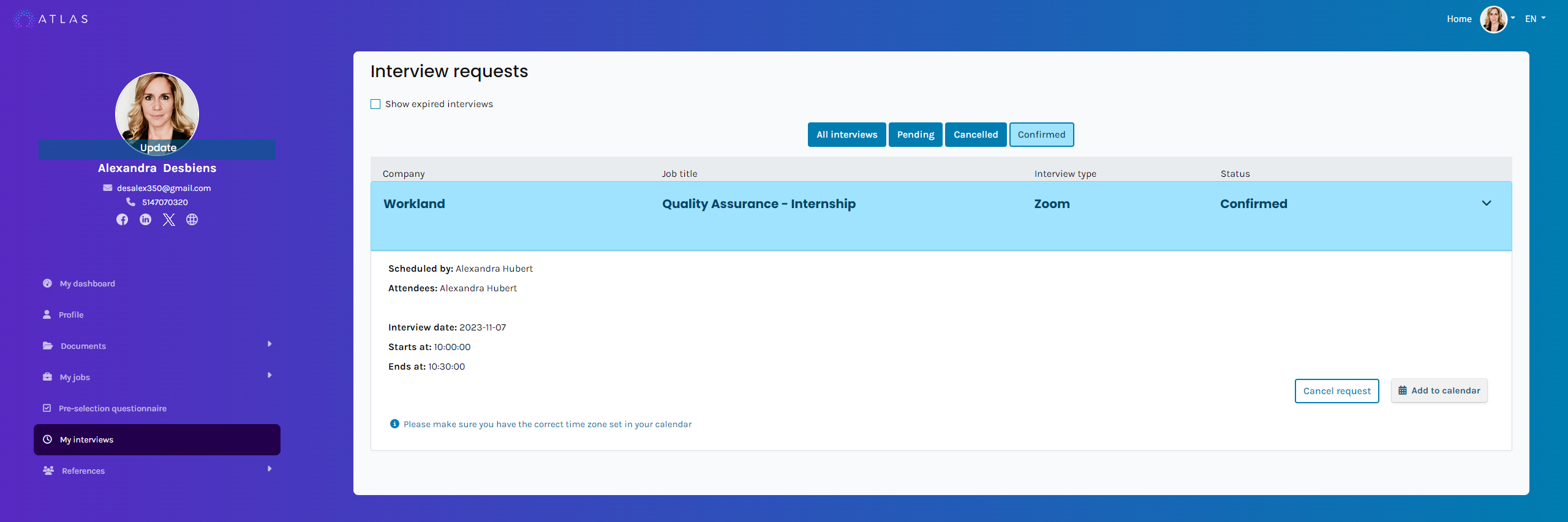
- Important – Time zone : Make sure your calendar is set to the correct time zone.
For example, if your interview is confirmed for 1:00 PM but the event added to your calendar shows a different time, this means your calendar time zone is not configured correctly.
- Microsoft Teams interview: If the employer sends you a Teams invitation, a Microsoft Teams icon will appear in the interview details. You can click this icon to join the interview at the scheduled time.
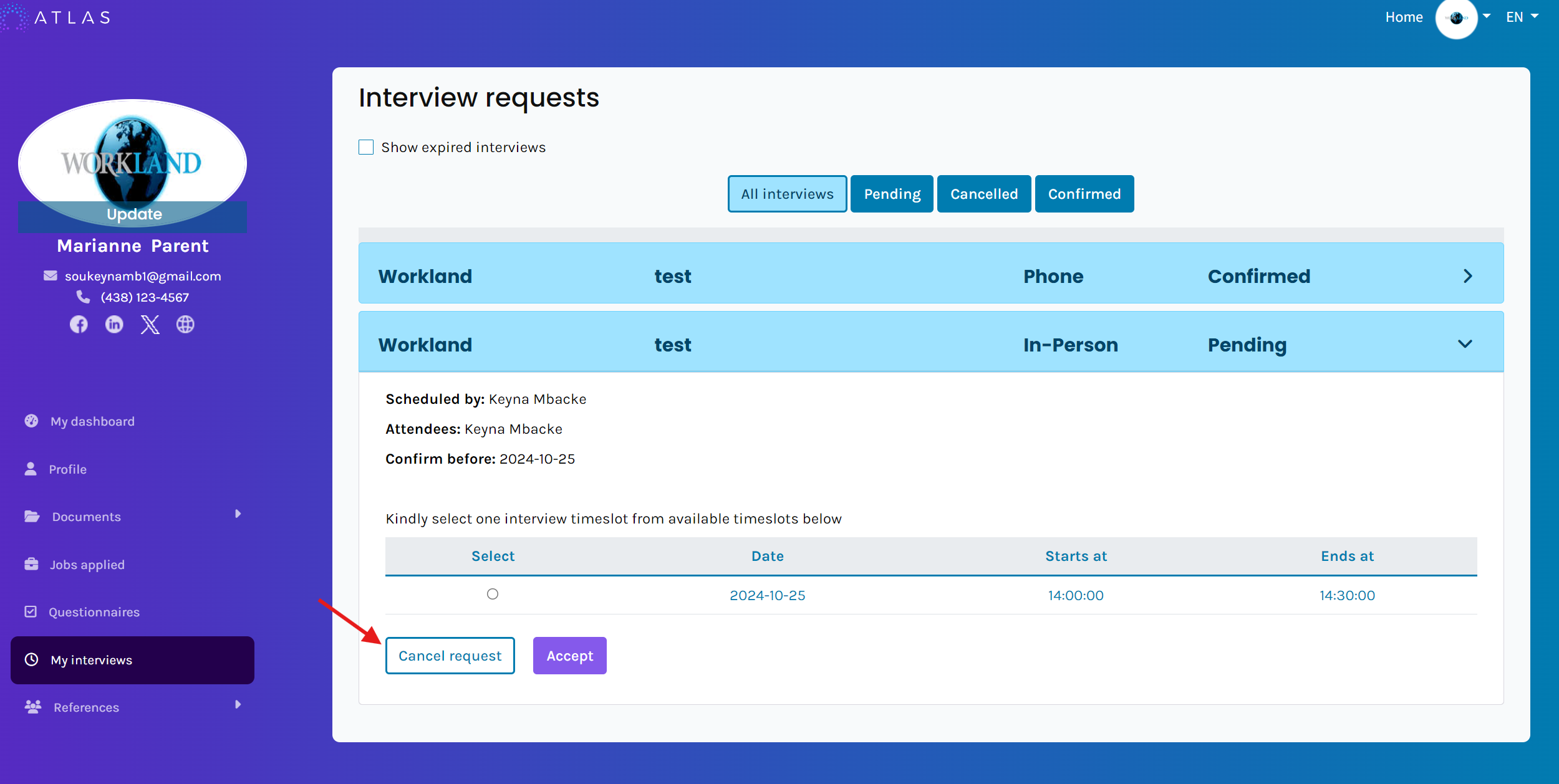
- Cancel an interview: If you wish to cancel your interview, select the relevant interview and click Cancel request. A notification will automatically be sent to the employer to let them know of your cancellation.
Frequently Asked Questions:
Q: I can’t log in to my candidate portal.
A: Links to activate your account or reset your password are available on our homepage at atlas.workland.com. If you are still experiencing difficulties, you may refer to other available help articles or contact support@workland.com.
Q: I don’t see the interview request that was sent to me.
A: Make sure you are logging in using the same email address you used to apply.
Q: Can I change my time slot after accepting it?
A: No, it is not possible to change your selection once it has been accepted. If you experience a last-minute conflict, you may contact the employer directly.
Q: How can I check or correct my calendar’s time zone?
A: Make sure the automatic time zone feature is enabled in your calendar. If the time zone is set manually, the displayed interview times may not be accurate.
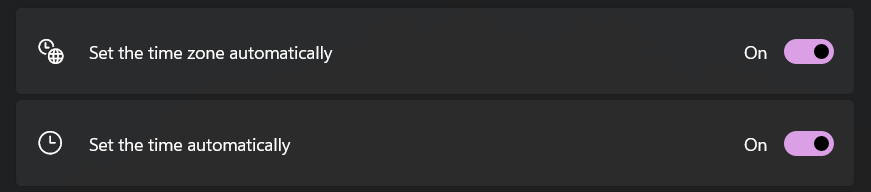
- https://support.microsoft.com/en-us/windows/set-time-date-and-time-zone-settings-in-windows-dfaa7122-479f-5b98-2a7b-fa0b6e01b261
- https://support.apple.com/en-ca/101619
Link to our FAQ page for more articles: support.workland.com
Was this article helpful?
That’s Great!
Thank you for your feedback
Sorry! We couldn't be helpful
Thank you for your feedback
Feedback sent
We appreciate your effort and will try to fix the article