Link to our FAQ page for more articles: support.workland.com
If you received an email invitation to submit your references, please log in to your ATLAS portal.
REFERENCE REQUEST
First, select the References tab.
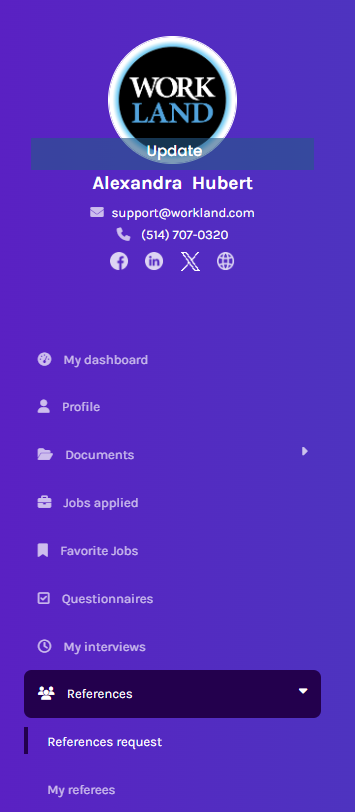
If you are on your phone, it shows when you have a pending reference request. You can click on it, or go through the main menu (purple).
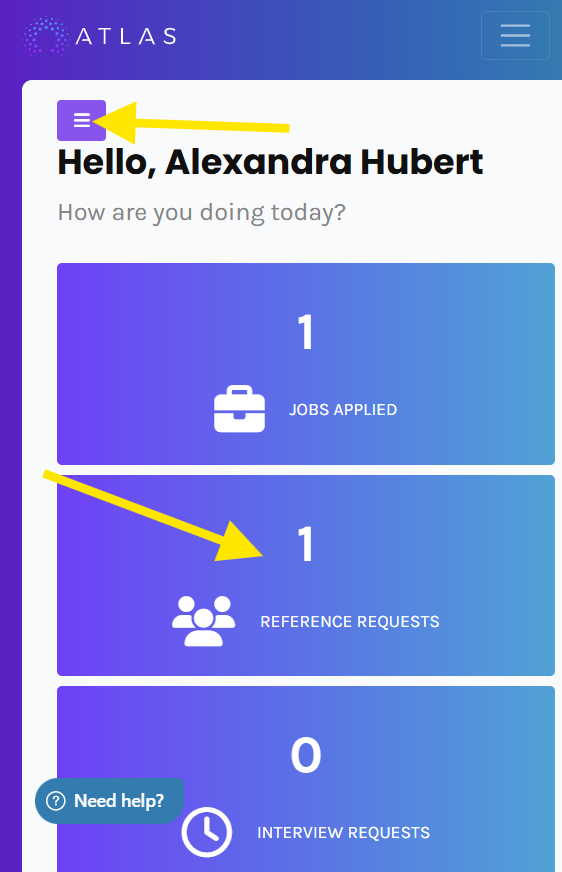
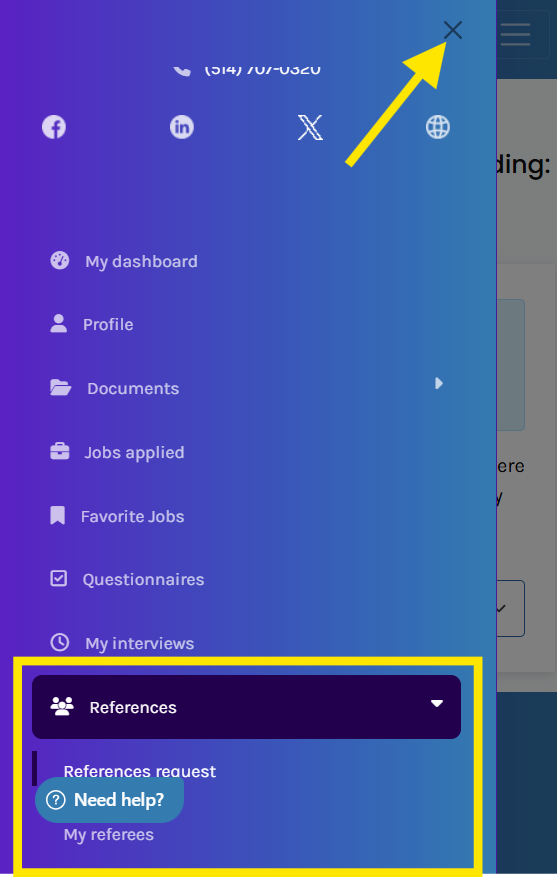
Select the option Reference Request or My Referees, then remember to close the menu to see the information.
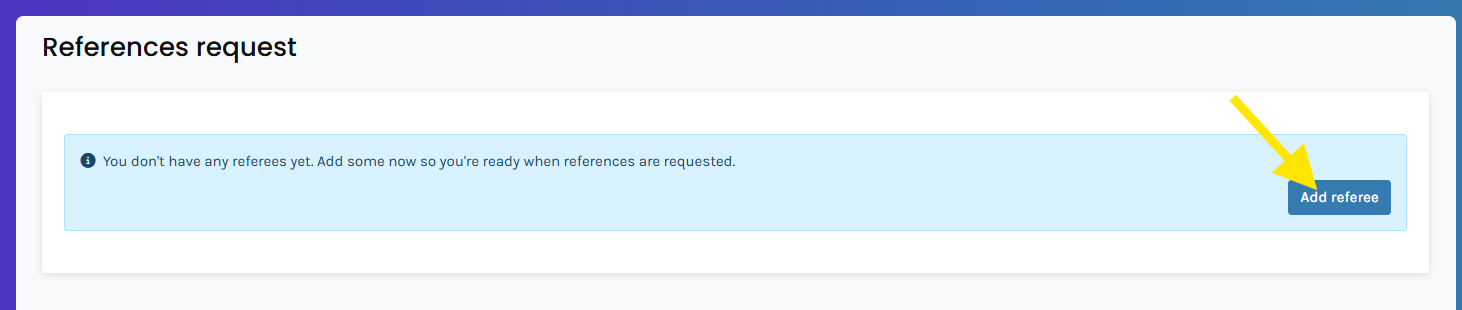
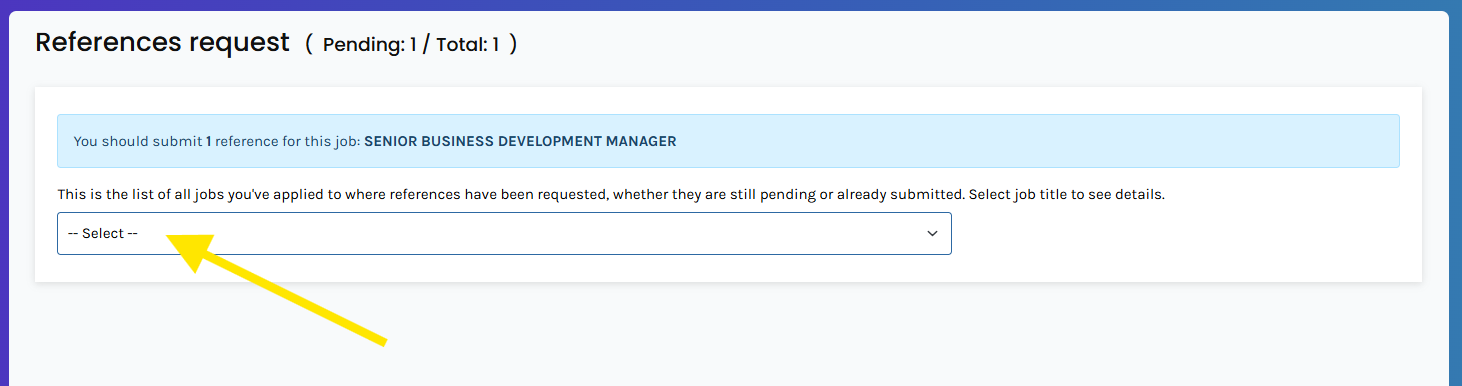
You will be directed to the "Reference Request" page. If you do not have any reference requests, either you have not connected to the right account or the employer has not sent a request. You can ask them to confirm.
From this page, you can also add referees to prepare for a future request.
If you have a pending request, you may select the job title from the list and the referees if you have already created them.
CREATING MY REFEREES
Referee creation occurs in the second tab under the request. Depending on the screen size, the Need Help button may hide that option. You can use Ctrl and - (minus) to zoom out and see it.
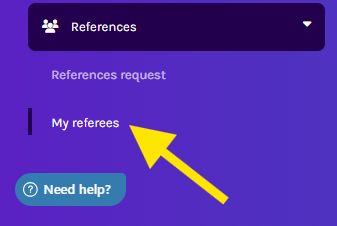
Once in My referees, you can create them. Remember to always go back to the Reference Request in order to send them!

SUBMITTING MY REFEREES
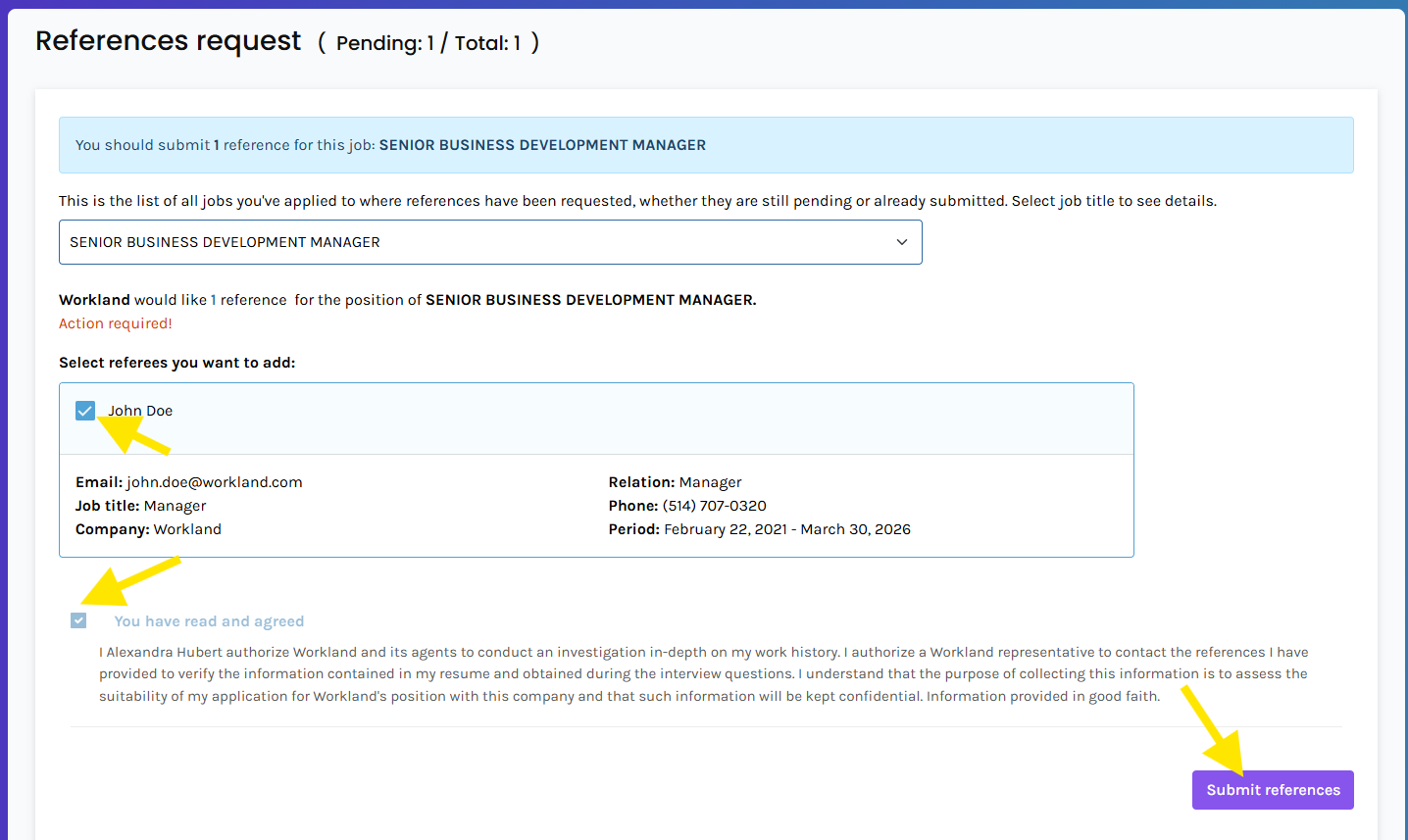
Once you're ready to send your references, in the Reference Request tab, select your referees, agree to the terms and conditions, and submit them for the employer to receive.
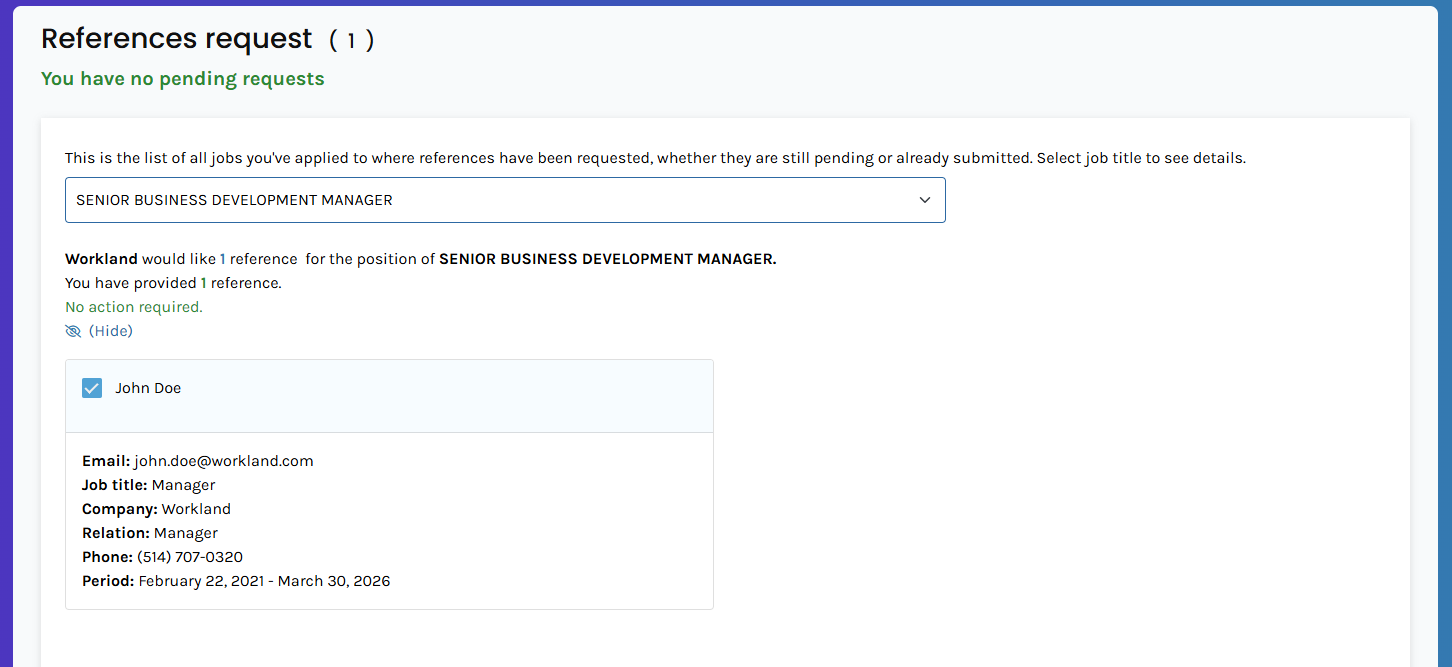
Once submitted, it will show that no action is required. Therefore, the employer has the information in hand. If you still have a message of "action is required", you may not have submitted enough references. You may verify with the total of the request.
REFEREES CREATED BY THE RECRUITER
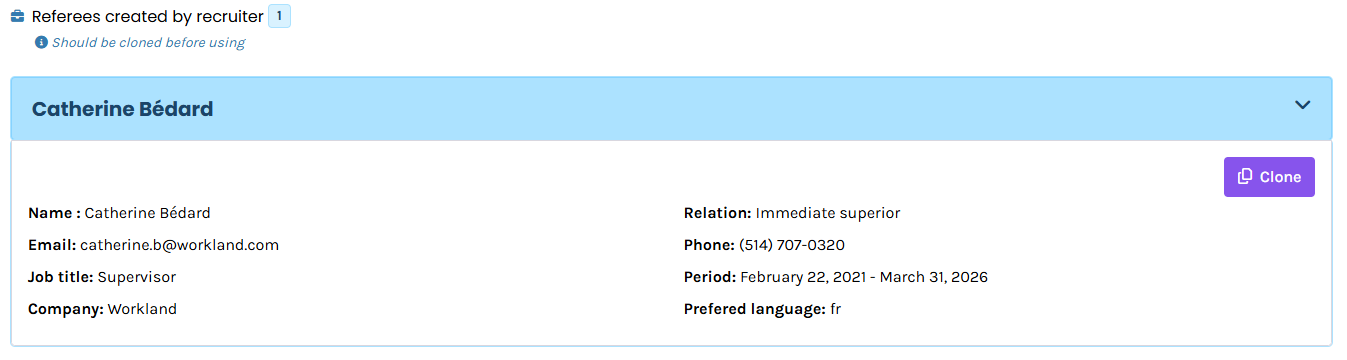
If the recruiter created a referee for you, a copy will be added in My Referees under "Referees created by recruiter".
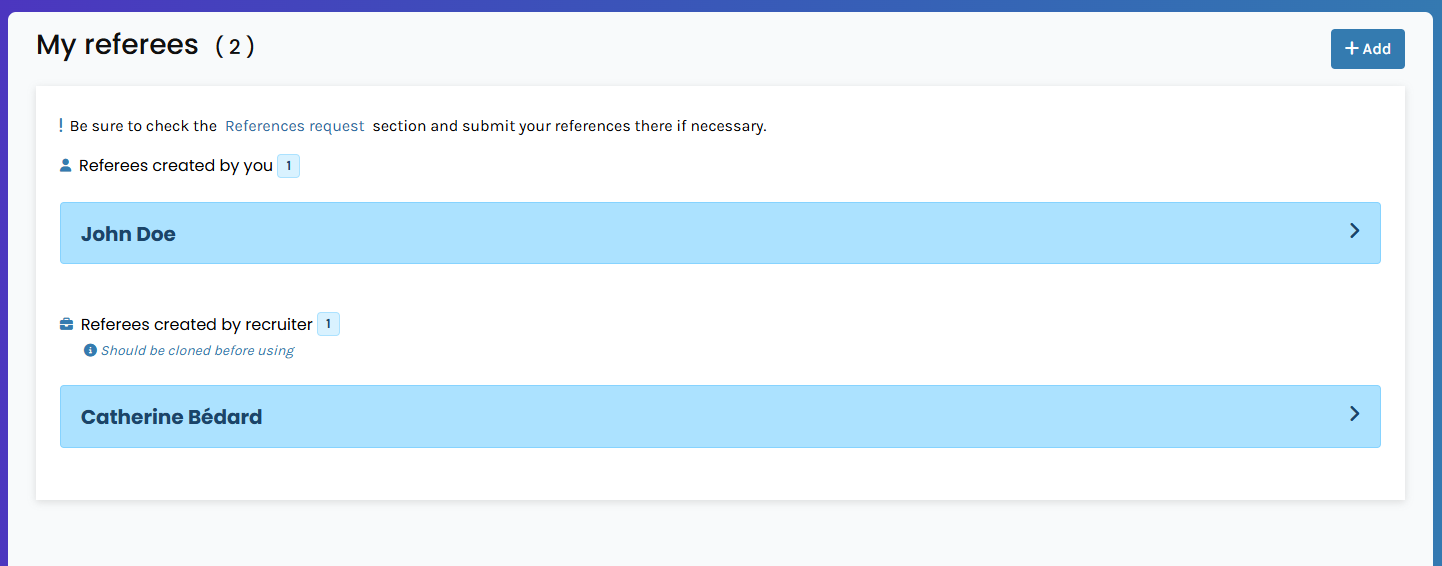
If you click the name, you can clone the referee to add it to your list.
FREQUENTLY ASKED QUESTIONS:
Q: Can I change my references once they are submitted?
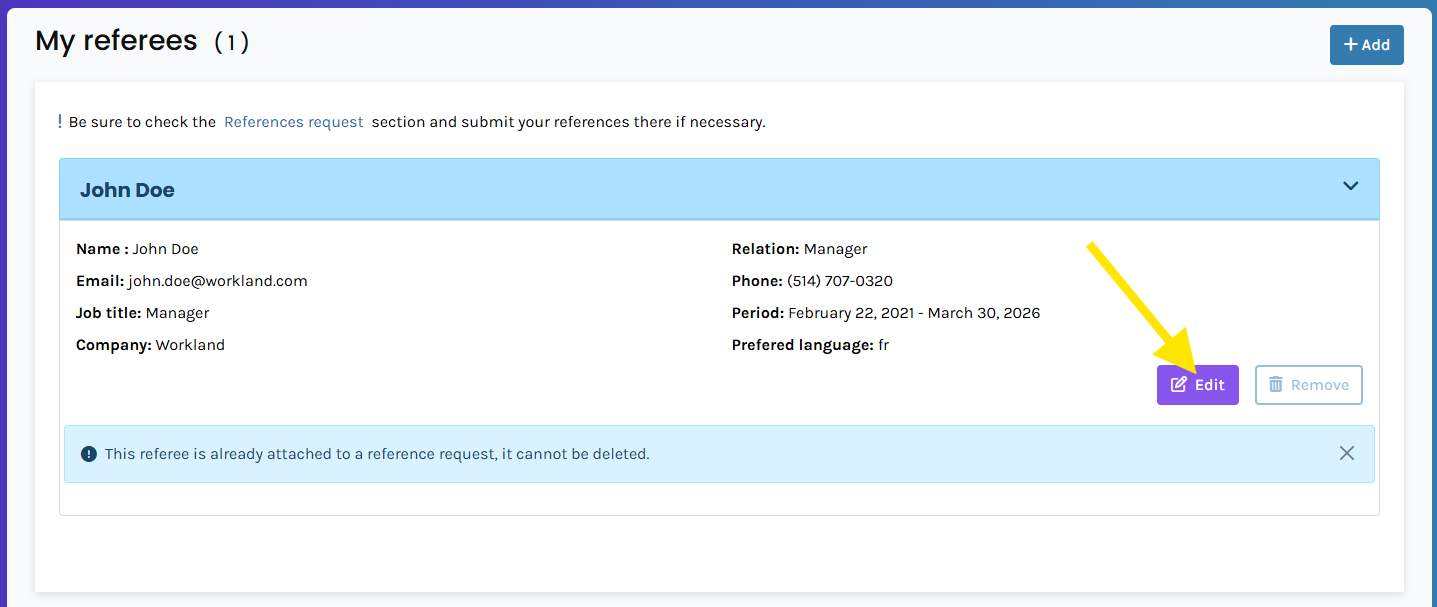
A: Once the references have been submitted, you can edit your referee until they are contacted by the recruiter. Make sure you verify all information beforehand. If a mistake is known and the edit option is no longer possible, contact the employer directly. They can add references on their side if needed.
Q: How can I send more references when the system doesn't allow me?
R: The employer decides how many references are needed. If you would like to send more, contact the employer to increase the total number of reference requests.
Was this article helpful?
That’s Great!
Thank you for your feedback
Sorry! We couldn't be helpful
Thank you for your feedback
Feedback sent
We appreciate your effort and will try to fix the article