Link to our FAQ page for more articles: support.workland.com
If you receive a verification code but it is already expired when you try to enter it on the platform, this may indicate that the date, time, or time zone on your device is not properly synchronized with our servers.
Please complete the following checks:
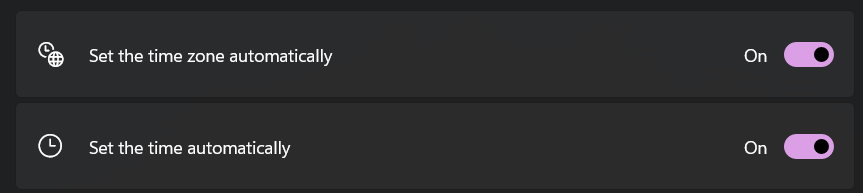
- Date, time, and time zone
Make sure the date, time, and time zone on your device are correct and set to automatic.
- Try another device
If possible, try signing in from another device (such as a mobile phone). Disable Wi-Fi and use cellular data instead. - Clear cache and cookies
Clear your browser’s cache and cookies, then restart the browser before trying again. - Check for updates
Ensure that your browser and device are up to date and that no updates are pending.
If none of these solutions resolve the issue, please reach out to us at support@workland.com.
Was this article helpful?
That’s Great!
Thank you for your feedback
Sorry! We couldn't be helpful
Thank you for your feedback
Feedback sent
We appreciate your effort and will try to fix the article