If you received an email invitation to submit your references, please log in to your ATLAS portal.
Next, navigate to the References section. You’ll see that you can add each reference by completing a separate form.
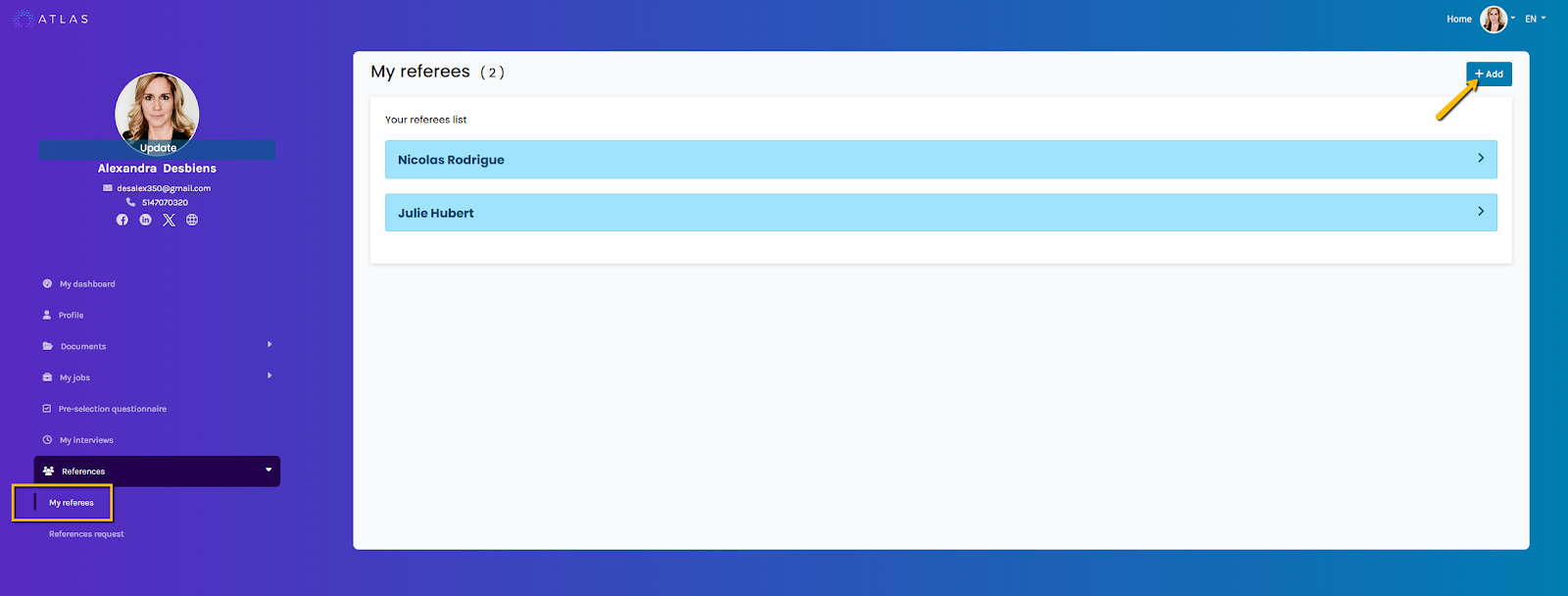
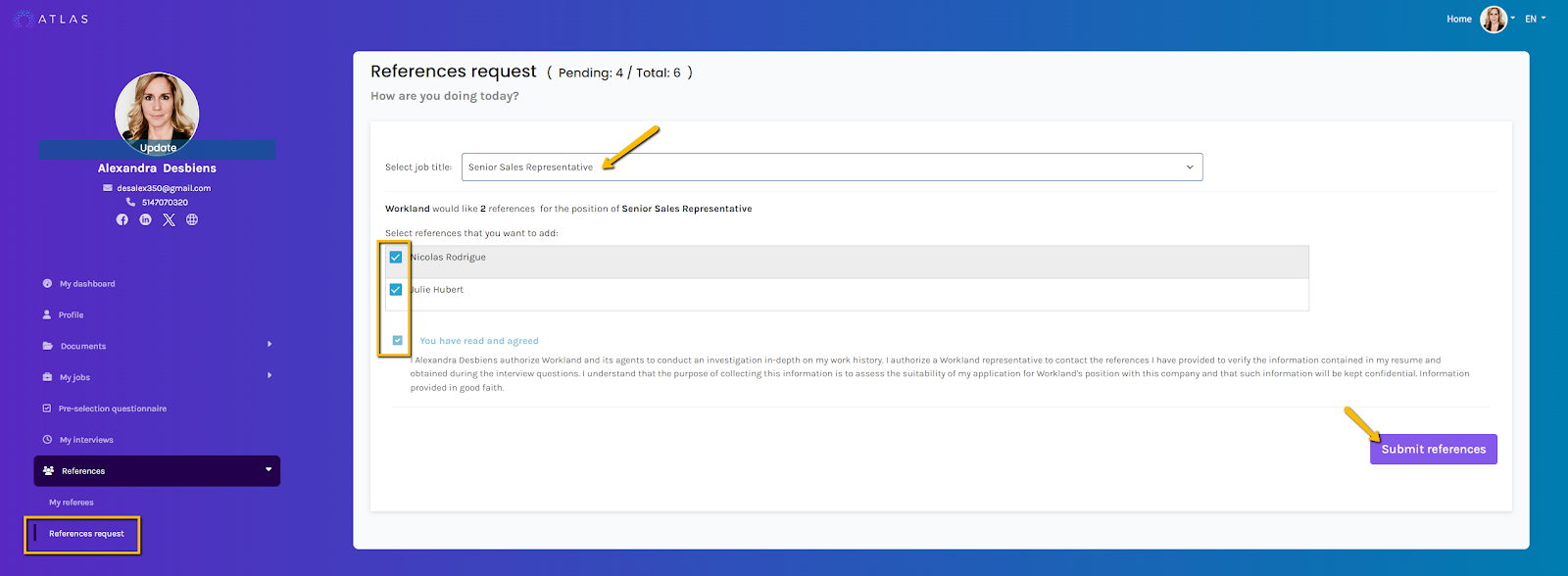
Once your list of references is complete, you must send them to the employer so they can review them. Under the “My References” section, you will find the “Reference Requests” tab.
First, select the job title for which the references are being requested. Then, choose the references you wish to share. Once completed, click “Submit References” to send the information.
Frequently Asked Questions:
Q: Can I change my references once they are submitted ?
A: Once the references have been submitted, they can no longer be modified. However, if you would like to make any changes, you may contact the employer, who can determine whether a new reference request is necessary.
Link to our FAQ page for more articles: support.workland.com
Was this article helpful?
That’s Great!
Thank you for your feedback
Sorry! We couldn't be helpful
Thank you for your feedback
Feedback sent
We appreciate your effort and will try to fix the article